This editorial comparison synthesizes product documentation and market coverage. Features, limits, and pricing can change, so confirm current details with each vendor before choosing a plan.
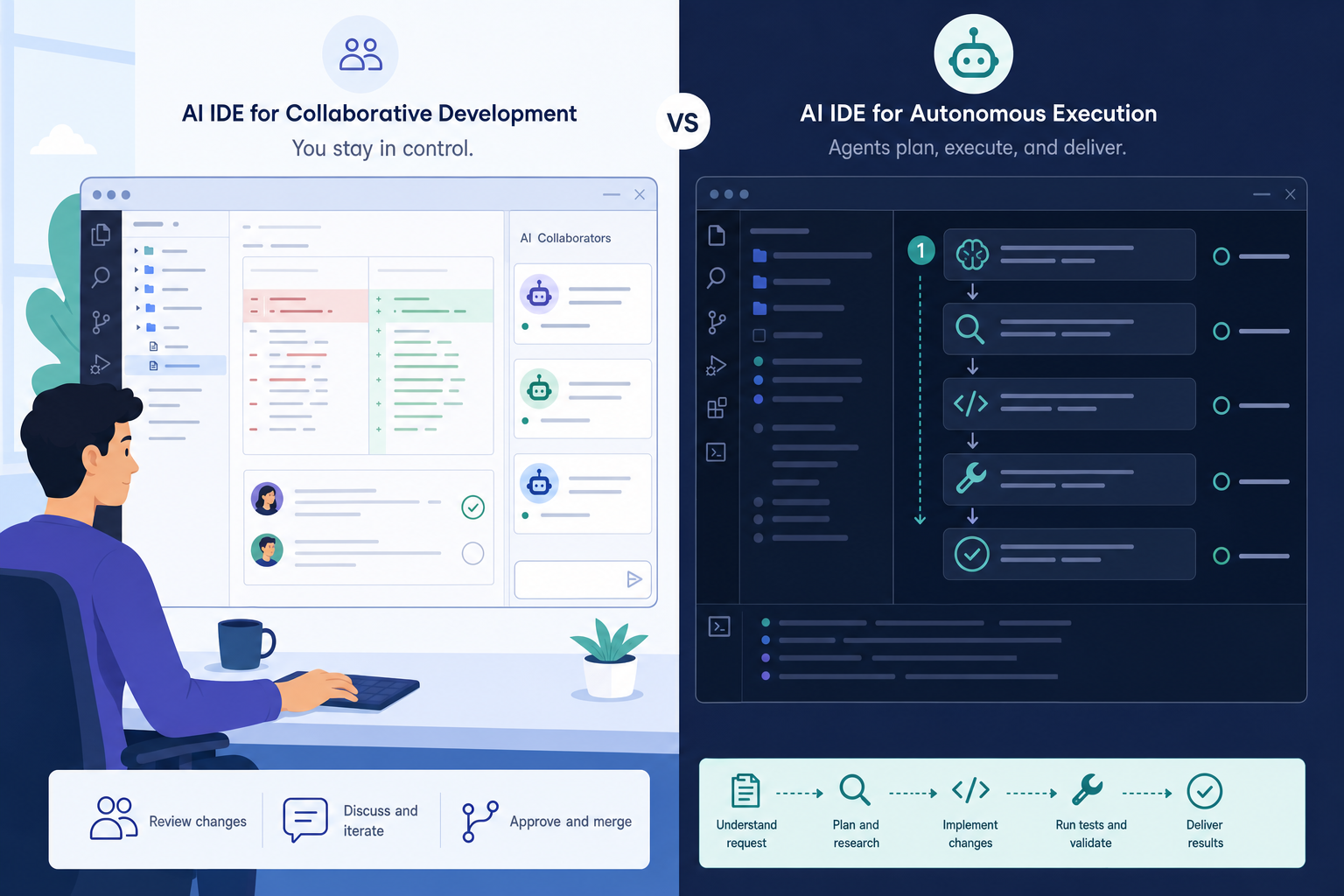
Cursor vs Windsurf is mainly a choice about how much control a developer wants during an AI-assisted task. Both products put AI features inside familiar coding environments, but Cursor emphasizes a review-oriented workflow while Windsurf emphasizes longer, more autonomous agent loops.
Neither approach is universally better. A short bug fix, a large refactor, a team’s preferred IDE, and a company’s review requirements can all change which tool fits best.
How we compared Cursor vs Windsurf
The useful distinction is workflow ownership: who steers the work while the agent is making changes? This guide compares the products by their main editing surface, agent behavior, IDE availability, context handling, pricing signals, and likely fit for different development habits.
The comparison does not treat an AI IDE as a benchmark score. A tool can be effective at generating code yet still be a poor fit if its approval flow, editor support, or billing model conflicts with a team’s routine.
Cursor is an AI-native IDE from Anysphere built on a VS Code fork. Its documented product surface includes Tab completion, chat, Composer and Agent modes, multi-model routing, cloud or background agents, and BugBot. Official product documentation is available at Cursor Docs.
Windsurf also ships an AI-native IDE with VS Code lineage, centered on its Cascade agent. It additionally offers plugins for other IDEs, making its footprint broader than a single editor product. Vendor setup information is available in the Windsurf getting-started documentation.
Public comparisons often frame Cursor as collaborative and plan-and-approve, and Windsurf as more autonomous and flow-based. That framing is a useful starting lens, not a substitute for trying each product on a team’s real tasks.
Quick comparison table
The table captures the practical tradeoff rather than declaring a winner. Product plans and model availability move quickly, especially at higher usage levels.
| Tool | Primary product | Agent style (public framing) | IDE coverage | Context approach | Entry pricing signal | Best-fit persona |
|---|---|---|---|---|---|---|
| Cursor | AI-native VS Code fork | Collaborative, plan-and-approve Composer and Agent workflows | Cursor IDE | Explicit chat and Composer context, with model-routing options | Pro $20/month (as of 2026-07-20); Teams $40/user/month | Developer who wants to inspect diffs and remain close to each decision |
| Windsurf | AI-native IDE plus plugins | More autonomous, flow-based Cascade loops | Windsurf IDE plus plugins for multiple IDE families | Automatic or adaptive context and Memories-style features emphasized in product discussions | Pro $20/month (as of 2026-07-20); Max $200/month; Teams $80 base + $40/seat | Developer or team needing broader IDE coverage and longer agent runs |

The matching Pro headline price should not be read as identical capacity. Cursor meters included model usage with on-demand extras billed in arrears. Windsurf refreshes paid-plan allowances on daily and weekly cadences and sells extra usage at API pricing. Same starting number does not mean the same usable volume.
As of 2026-07-20, Cursor’s official pricing page lists Hobby free, individual plans starting at $20/month for Pro, Pro+ and Ultra tiers above Pro (prices not shown on that page), and Teams at $40/user/month. Windsurf’s official pricing page lists a free tier at $0, Pro at $20/month, Max at $200/month, and Teams at $80/month base plus $40/month per full dev seat. Verify current terms on those pages before purchasing, because plan names and allowances can change.
Note once for clarity: Windsurf’s official pricing page is now branded under Devin (Cognition), with the desktop IDE presented as Devin Desktop. Search interest and this guide still use the focus keyword Cursor vs Windsurf.
Tool-by-tool notes
The core contrast is review cadence. Cursor tends to suit developers who want AI changes surfaced as work to inspect, while Windsurf’s Cascade is often positioned around carrying a task through more steps before asking for input.
Cursor
Cursor’s interface centers on an AI-native VS Code fork. That matters for teams already comfortable with VS Code conventions and extensions, because the product keeps the editor and AI workflow in one dedicated environment.
Composer and Agent modes support a plan-and-approve framing. A developer can ask for a multi-file change, inspect the proposed diff, and decide what proceeds. That loop can make code review habits easier to preserve when changes are consequential.
Cursor also emphasizes model flexibility and its Composer ecosystem. Documentation describes cloud and background agent capabilities that can appeal when parallel work should stay underway while a visible review point remains before results are integrated.
Proprietary model signals for Cursor often reference the Composer family alongside multi-model routing. Treat those labels as publicly described product signals and confirm availability in current docs, because model menus shift often.
For related context on why a review-first Cursor setup can appeal to some developers, see Why I Use Cursor. The relevant question is not whether autonomy is useful, but whether a task needs frequent direction, careful diff inspection, or a more bounded change set.
Windsurf
Windsurf’s differentiator is agent continuity. Cascade is framed as a flow-based agent that can carry out connected steps with fewer mid-task interruptions. That can be appealing when a task has a clear outcome but touches several files or layers of a project.
The product also reaches beyond its own IDE through plugins for multiple IDEs. Broader coverage can matter when a team includes JetBrains users or cannot move every contributor to one VS Code-derived editor.
Automatic or adaptive context and Memories-style features are frequently emphasized for Windsurf. For a large codebase, that promise is relevant because repeated manual context selection can slow work. Teams should still evaluate how the current implementation behaves on their repositories rather than relying on feature labels alone.
Proprietary model signals for Windsurf often reference an in-house SWE-1.x family plus third-party models from major providers. The pricing page lists SWE 1.7 as the latest in-house model and includes Devin Cloud access on Pro. Confirm current model menus and quotas in vendor docs before assuming a specific mix will be available.
Third-party comparisons list compliance claims for Windsurf more often than for Cursor, sometimes including SOC 2 plus additional certifications. Those claims should be checked against current official security material before they are used in a procurement or risk decision.
Which tool should you choose?
The answer depends on the team’s control model, not on a generic “best AI IDE” label. Cursor vs Windsurf becomes clearer when the decision starts with the existing editor, the desired approval loop, and the kind of work assigned to an agent.
Lean toward Cursor when the developer or team:
- Wants a dedicated VS Code-native fork.
- Reviews each meaningful diff before accepting it.
- Values Composer-style collaboration and model flexibility.
- Plans to use cloud or background agents while retaining a clear review loop.
Lean toward Windsurf when the developer or team:
- Wants Cascade-style autonomous work over several connected steps.
- Needs support across the Windsurf IDE and other IDE plugin environments.
- Prefers automatic-context or Memories-style assistance for a large repository.
- Can define a task clearly enough that fewer mid-task interruptions are useful.
Teams evaluating a terminal-oriented coding agent alongside an IDE should separate that question from this comparison. Claude Code vs Cursor covers that adjacent choice, while a personal Cursor workflow harness explores how repeatable review and task constraints can shape an AI-assisted workflow.
For a mixed-IDE organization, standardizing on a single tool may reduce onboarding and support work, but it can also force an editor change that provides little value. A limited pilot using representative tasks, existing review rules, and actual plan limits gives better evidence than a universal recommendation.
Budget fit should follow the same pilot logic. Both tools advertise a $20/month Pro entry point as of 2026-07-20, yet Cursor’s arrears overage model and Windsurf’s daily or weekly refresh plus API-priced extras can diverge once agent volume rises. Teams that already know they need Max-level quotas, or that need Windsurf’s $80 base plus $40-per-seat Teams structure, should price the full seat plan rather than comparing Pro stickers alone.
FAQ
Are Cursor and Windsurf both VS Code forks?
Both products have VS Code lineage in their AI-native IDEs. Cursor is a dedicated VS Code fork, while Windsurf pairs its own IDE with plugins intended to extend its AI workflow into other IDE environments.
What is Cascade vs Composer in plain terms?
Composer is associated with a collaborative workflow where the developer can plan and review changes as they are proposed. Cascade is associated with a more continuous agent loop that can complete several related steps with less interruption. The practical difference is the preferred degree of human steering.
Did Windsurf become Devin Desktop?
Yes, in branding: as of 2026-07-20, Windsurf’s official pricing page is presented under the Devin brand from Cognition, and the desktop IDE is listed as Devin Desktop. The product’s Cascade-centered workflow and multi-IDE plugin story remain the useful comparison points under the Cursor vs Windsurf search query.
Is pricing still different in 2026?
Headline Pro pricing matches at $20/month for both tools as of 2026-07-20, but metering and team packaging differ. Cursor lists Teams at $40/user/month with included usage and arrears billing for extras. Windsurf lists Max at $200/month and Teams at $80/month base plus $40/month per full dev seat, with daily and weekly allowance refreshes and API-priced overage. Check Cursor pricing and Windsurf pricing for current details.
Should a team standardize on one?
Standardization is sensible when shared editor conventions, security review, support, and billing outweigh individual preferences. A team with distinct IDE needs may get more value from Windsurf’s plugin coverage, while a team committed to review-every-diff practices may prefer Cursor’s collaborative framing.