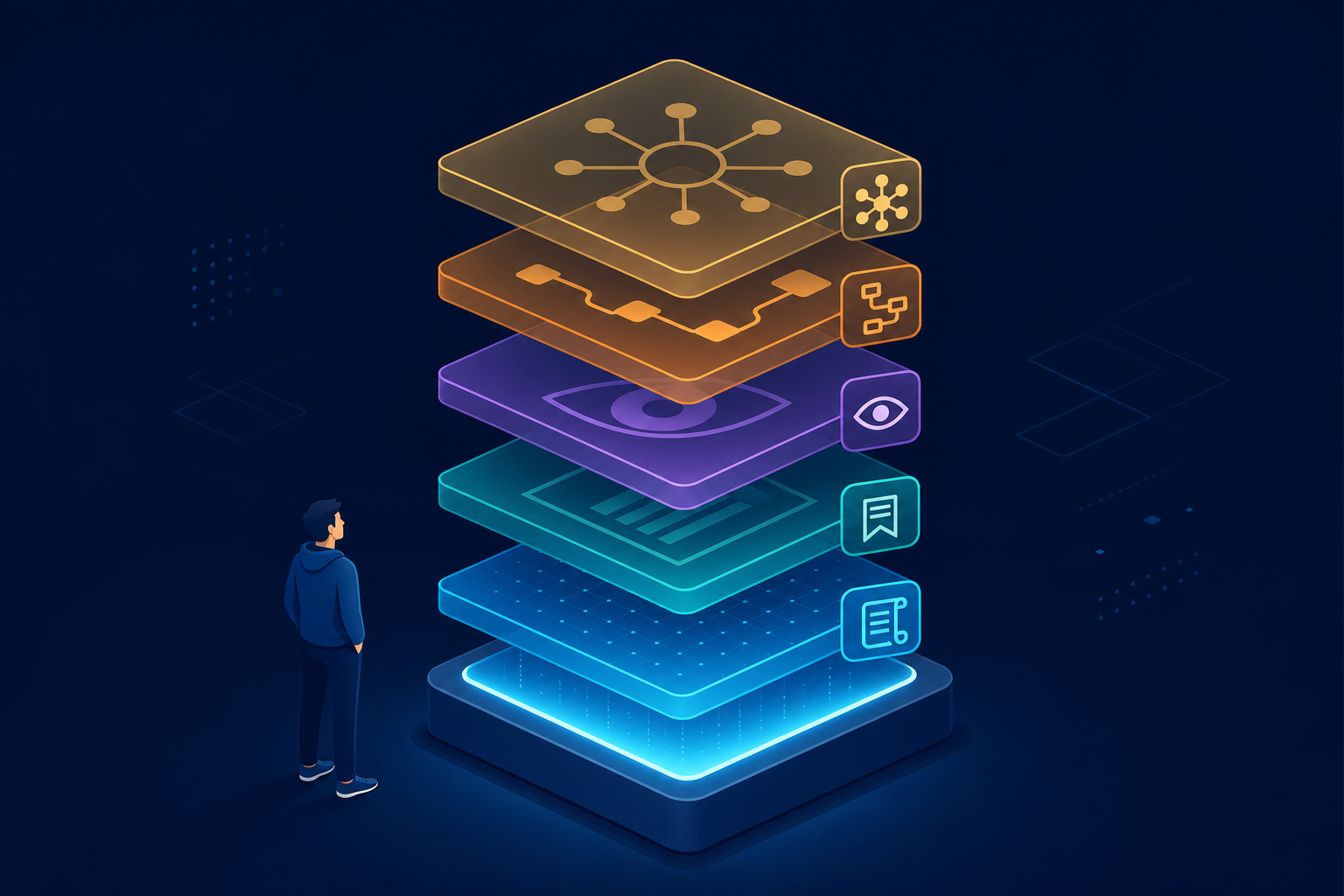
My Cursor workflow has grown into a personal harness that sits on top of the editor itself. Cursor out of the box is already a strong harness, and I covered that in why I use Cursor. That post was about the system Cursor’s team builds around the model; this one is about the system I built around Cursor.
Some background on where this comes from. I spent three years in Unity client development and another three in web-game client development, and these days most of my side time goes into AI-driven content creation. Several of those content projects run on one machine, all orchestrated through the setup below.
After months of daily use across those projects, my setup settled into five layers: rules, session memory, runtime visibility, pipeline skills, and one hub over everything. This post is the map, and it deliberately stays high-level. Dedicated deep dives for Layers 2 through 5 are linked from each section below.

Layer 1: Behavior rules the agent always follows
Rules turn a prompting style into a persistent contract that survives across sessions and model versions. Instead of repeating the same instructions in every chat, I write them once and the agent reads them every time. When a new model version arrives, the contract carries over unchanged, so I do not relearn how to steer it.
At the user level, I keep a set of behavioral guidelines based on Andrej Karpathy’s advice for coding agents:
- do not assume; surface confusion instead of hiding it
- make minimal, surgical changes and touch nothing else
- define success criteria before writing code
On top of that, each project has its own AGENTS.md file with project-specific rules. This blog’s repo is a good example: an expensive frontier model acts as editor-in-chief and never writes article prose, while cheap fast models do the writing. If quality fails review, the rule is to fix the brief, not the text, so the improvement lands in the system instead of one article.
That editor-and-writer split is not something I negotiate with the agent per session. It is written down, it applies automatically, and it holds even when I forget to think about it. That is the difference between a habit and a rule.
Layer 2: Session continuity, my Cursor workflow’s memory
Agent sessions are stateless, and that is the biggest gap in any Cursor workflow. The context you built up over hours dies the moment the chat ends. A new session starts from zero unless you rebuild that context by hand.
Rebuilding by hand is exactly what I used to do: re-explain the project, re-explain the decision history, re-explain what was tried and rejected. Across multiple projects, that tax adds up fast.
My solution is a pair of custom skills that treat context as a document:
session-handoffruns when a session ends. It writes a structured handoff into the project’s wiki folder: what was done, the current state, next steps, and warnings.session-startruns when a new session begins. It reads the wiki index and the latest handoff.
To make this work, every project keeps a small docs/wiki/ folder with an index file as the agent’s entry point. The result is that a new session picks up in seconds roughly where the last one stopped. The honest caveat: it restores working context, not every detail of the old conversation.
For the full walkthrough, see session handoff.
Layer 3: Letting the agent see runtime behavior
The agent can read all of my code, but it normally cannot see what the code actually does at runtime. When a bug only shows up in a running browser or app, the agent is reduced to guessing from source files. That guessing loop wastes more time than any other part of AI-assisted debugging.
My answer is a log-for-ai pattern. The app writes structured debug logs to a local file, and browser apps send their logs through a tiny local log server that appends to the same kind of file. The agent then reads that file directly and diagnoses the bug from actual runtime data instead of guesses.
The loop becomes concrete: reproduce the bug once, let the logs capture what happened, and hand the agent the file. It answers from evidence, which shortens the diagnosis and cuts down on confident wrong theories.
The pattern comes with a cleanup rule: every debug artifact is removed once the investigation ends. Logging code, log servers, and log files are temporary scaffolding, not permanent features. For the full walkthrough, see AI debugging logs.
Layer 4: Per-project pipelines as skills
Each content project defines its domain workflow as project-level skills the agent can run. The work is not “chat with an AI”; it is a repeatable pipeline with named steps that the agent executes the same way every time. For this blog, the pipeline looks like this:
- collect source material
- synthesize a draft from verified facts
- run quality gates
- human review
- publish to WordPress as a draft
Writer briefs and a shared style guide live in the repo next to the drafts. When review keeps flagging the same problem, the fix becomes a rule once, not a correction every time, because it goes into the style guide or the brief template.
That is the property I care about most: the pipeline improves monotonically. Every mistake teaches the harness something, and the harness does not forget the way a chat session does.
For how this blog splits editor and writer models inside that pipeline, see AI writing pipeline.
Layer 5: One hub over many projects

One local hub gives me a single front door to everything the agents produce. I run several AI content projects on one machine: video, books, this blog, and curation. Each project has its own pipeline and its own small local web UI, an “office,” where I review its output.
A local portal hub maps each project to a slug and a port. Instead of remembering which project lives where, I open one page and walk into whichever office needs attention. Adding a new project means adding one entry to the hub, not learning a new review routine.
The shape is the point, not the individual projects: N pipelines, N review offices, one hub, one human. The division of labor is fixed. Agents produce and gate; I review and approve at the hub.
This is also what keeps multiple projects sustainable for one person. My attention is the scarce resource, so the hub concentrates it on the only step that truly needs a human: the approval decision.
For the full walkthrough of that hub shape, see multi-project review hub.
The five layers, together
The five layers turn one assistant into something closer to a small team with processes. Rules are the working agreements, handoffs are the meeting notes, logs are the monitoring, pipelines are the procedures, and the hub is the manager’s desk.
None of it required building an agent framework from scratch. It is rules, markdown files, small skills, and a local hub, all sitting on top of the harness Cursor already ships. That low floor is why I recommend this approach: you can adopt one layer at a time.
If you want the details behind each layer, start with session handoff, then AI debugging logs, AI writing pipeline, and multi-project review hub.