
Cursor skills are how I turn a procedure I keep pasting—or stuffing into always-on rules—into a package the agent can load when it matters. In my Cursor workflow, short rules stay always on; procedures become skills that load on demand across continuity, debugging, and project pipelines. This post is the authoring method: when something becomes a skill, how I write SKILL.md, and how that differs from rules.

Rules vs Cursor skills
Rules are short always-on contracts. Skills are procedures—plus optional scripts and references—loaded when they are relevant.
I keep the split brutal on purpose:
- Rules — constraints that apply every chat (voice, safety, “use the handoff skill when…”).
- Skills — runbooks the agent should not carry on unrelated work.
- Docs — the official shape lives on Cursor’s Agent Skills page.
If you want the rules side of this stack, I already wrote Cursor agent rules that stick. This post is only about packaging the procedure.
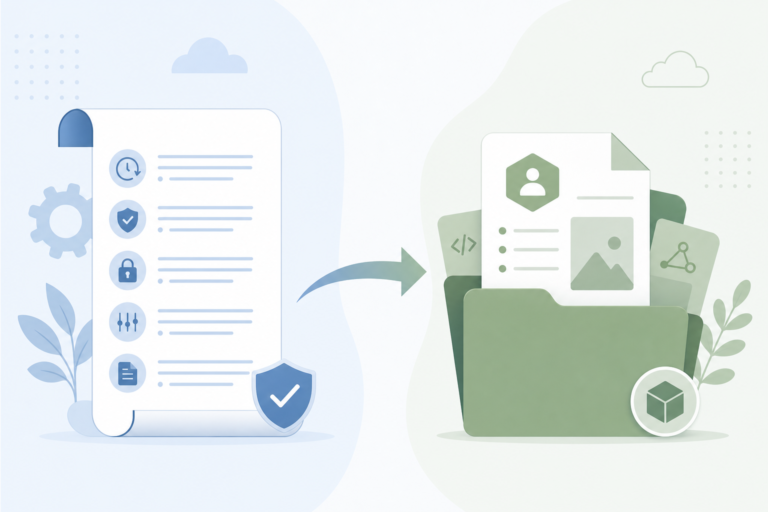
A skill is a folder with a required SKILL.md (Agent Skills open standard). Cursor discovers them from project dirs such as .cursor/skills/ or .agents/skills/, and from user-level dirs such as ~/.cursor/skills/ or ~/.agents/skills/.
Product shape I keep in mind:
- Frontmatter needs
name(must match the folder) anddescription(used for relevance). - Optional fields include
paths,disable-model-invocation, andmetadata. - The agent may apply a skill from context; I can also invoke with
/plus the skill name in Agent chat. - Optional folders are
scripts/,references/, andassets/—keep the mainSKILL.mdfocused and load detail on demand.
I do not treat the Customize sidebar → Skills UI as the authoring story. The file is the product. If the description is wrong, no sidebar click fixes relevance.
I fix the markdown, then re-test with a real task that should (and should not) load the skill.
When I promote a prompt into a skill
I promote a prompt into a skill when it has already earned its keep—not when I wish it existed. The cost of a bad skill is quiet: either it never loads, or it loads and steals context on work that did not need it.
The bar looks like this:
- I have repeated the same multi-step procedure two or three times.
- The work needs judgment (when to run, when to skip) plus concrete file outputs.
- Leaving it in chat means paste loops; leaving it in rules taxes every unrelated task.
One-off questions stay in chat. A wish-list skill with no scar behind it usually dies unused.
Failure 1 — procedure stuffed into rules. Before, the long “how to hand off a session” lived in always-on rules, or I re-pasted it each time. After, the session-handoff skill owns the procedure; rules stay short (“use the handoff skill when…”). Context stops paying for the runbook on unrelated tasks.
That scar is why I author from paid-for failures, not from a backlog of “nice to have.”
How I author Cursor skills (SKILL.md checklist)
I author from a checklist so the package is executable, not essay-shaped.
Minimal frontmatter
At minimum I set name and description. name must match the folder. description is the relevance hook—the sentence that decides whether this skill should even enter the agent’s working set.
---
name: session-handoff
description: Write a structured session handoff when the user asks for handoff, session cleanup, or next-session context.
---
/create-skill can scaffold the folder layout. I still rewrite the description and judgment hard by hand. /migrate-to-skills exists for eligible dynamic rules and slash commands; I treat it as a helper, not as a substitute for editing when/when-not.
Authoring checklist
- Trigger sentence — When should the agent pick this? Put that in
description, including user phrases (for example “session handoff”). - Judgment rules — When to skip. Example pattern from handoff: skip when the session was tiny Q&A with no meaningful progress.
- Procedure — Ordered steps the agent can run with tools (read/write paths, commands).
- Outputs — Exact files or sections to create or update (for handoff: something like
docs/wiki/handoffs/YYYY-MM-DD.mdplus an index table). - Cleanup / verify — Delete temp debug artifacts; define “done.”
- Keep
SKILL.mdshort — Move long reference tables toreferences/when needed. - Don’t duplicate rules — Always-on constraints stay in
AGENTS.md/ user rules; the skill owns the runbook.
That last item is where most of my early skills went wrong. I kept copying rule text into the skill “for completeness,” then maintained two copies that drifted. Skills own steps; rules own laws.
When a constraint must apply even if the skill never loads, it does not belong in the skill body.
Personal skills vs project skills
Personal skills travel with me across repos. Project skills travel with the repo so teammates (or future me on a clean clone) get the same cycle without copying user-level folders.
User-level (cross-project) examples I actually use:
session-handoff/session-start— write and read structured handoff docs into a project wiki. Deep dive: session handoff.log-for-ai— runtime logs to a file the agent can read. Deep dive: AI debugging logs.
Project-level (this blog) examples:
gb-cycle,gb-collect,gb-synthunder.cursor/skills/— evergreen collect → facts → brief → gate → WordPress cycle steps for GlobalBlog.
This post is the meta method. Those deep dives are finished examples of what a good package looks like after the checklist is real. The blog-side gb-* skills exist for the same reason: the AI writing pipeline has a repeatable cycle I do not want re-explained in every chat.
What I refuse to put in a skill
I refuse four kinds of content in a skill folder.
- Always-on laws — voice, safety, “never commit secrets” belong in rules, not in a procedure the agent might skip.
- Novel-length essays — entire style guides and long doctrine do not belong in
SKILL.md. Keep the main file focused; park reference detail underreferences/if you must. - Secrets — no App Passwords, no
.envcontents, no credential paths. Skills are conventions plus markdown, not a vault. - Mushy triggers — a skill that always fires (or never fires) is worse than none.
Failure 2 — skill without skip rules / mushy description. Description must state when. Body must state when not. Without that pair, the agent either ignores the package or applies it on tiny sessions that did not need a handoff file.
I fix those by rewriting the trigger sentence and adding an explicit skip rule—not by adding more prose.
Honest limits stay honest: agents still miss skills; descriptions need tuning. Over-skillification is real—not every prompt deserves a package. I promote after the second or third repeat.
Until then, a short paste in chat is cheaper than a half-written SKILL.md that fires on the wrong tasks.
Wrap-up
Cursor skills turn scars into loadable packages. Rules stay short; the runbook loads when the work matches the description. That is the Layer 2 job in my Cursor workflow.
Next methodology candidate for me is how the style guide accumulates gate failures—no date promise, just the next scar worth packaging.