This article synthesizes product documentation and published comparisons. It is not based on hands-on testing by the author.
AI IDE vs terminal agent is a workflow decision, not a brand contest. An AI IDE keeps assistance beside the file under edit. A terminal agent takes a repo-level goal through a command-driven plan, edit, and review loop.
Both categories now ship agent modes. The useful question is where the agent lives: beside the cursor in an edit loop, or in a dispatched CLI session you return to later.
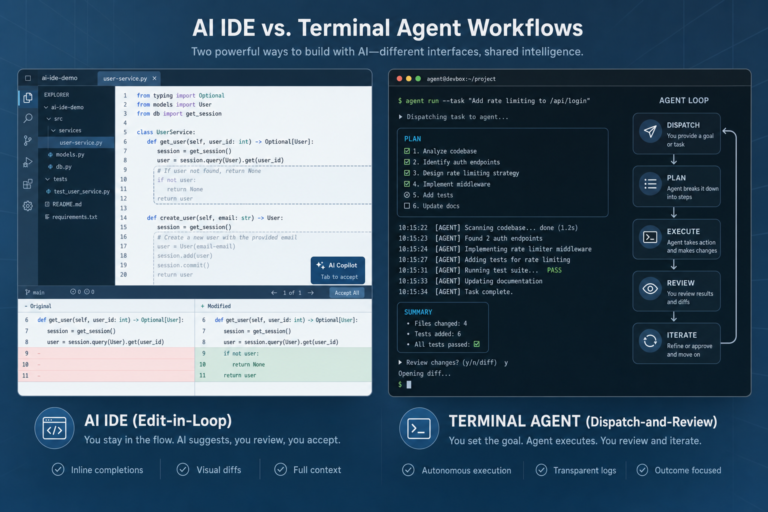
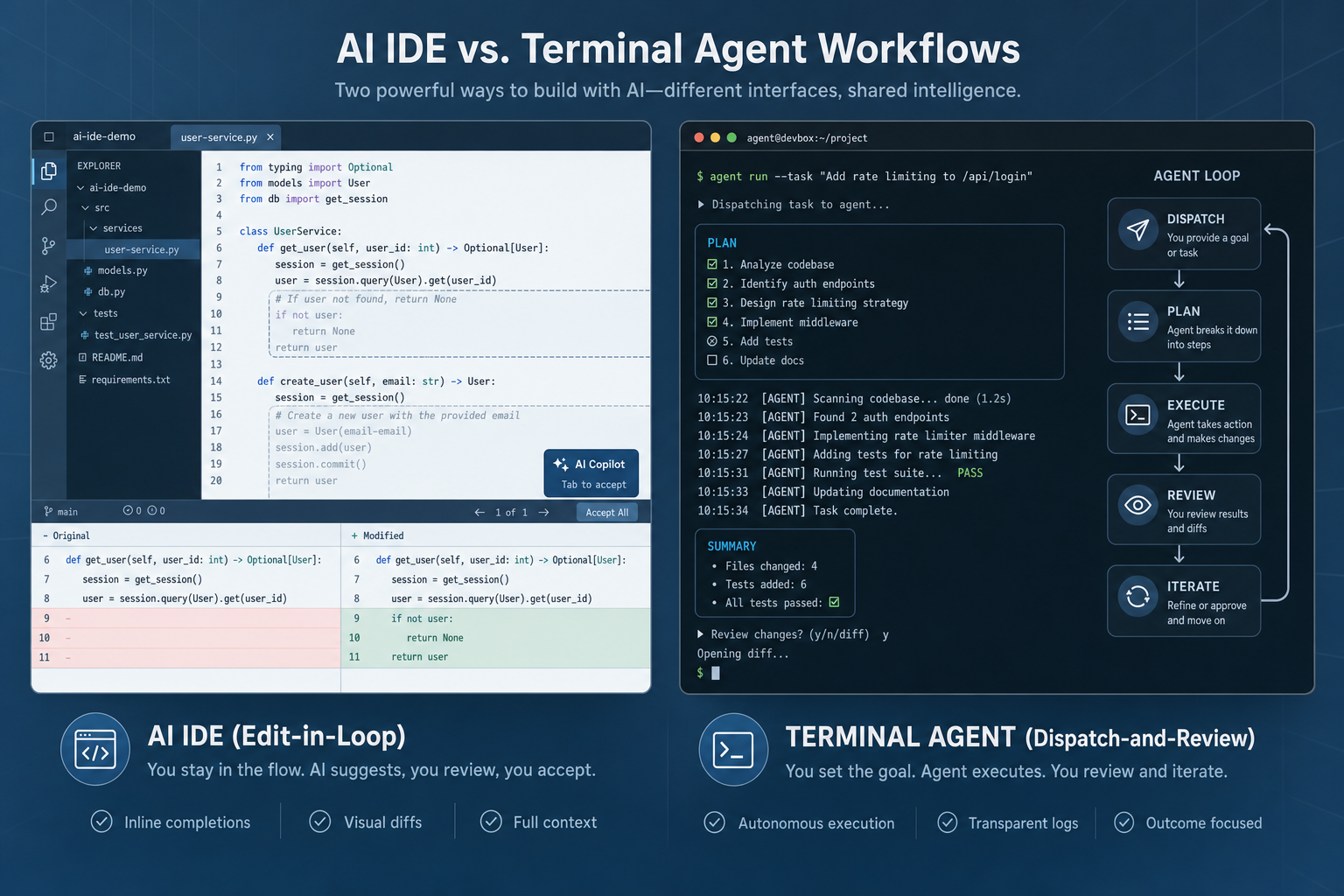
An AI IDE is an editor-first product, often from the VS Code fork family. It typically combines Tab or inline completion, chat, multi-file Composer or Agent modes, and visual diffs. A terminal agent is CLI-first: it runs in a repository terminal, plans and edits, executes commands, and can iterate before the outcome is reviewed.
Cursor and Claude Code are the exemplars used here for those two surfaces. They are not the whole market; other AI IDEs and CLI agents exist. The category choice remains more durable than a feature-by-feature product shootout.
How we framed AI IDE vs terminal agent
The core contrast is the moment you type versus the task you started. An AI IDE optimizes for immediate, visible intervention. A terminal agent optimizes for a bounded goal that can run longer before human review.
That framing avoids a misleading feature checklist. Both surfaces can suggest edits, read a codebase, and run agentic workflows. They make different review loops feel natural.
An AI IDE favors a developer who wants to:
- inspect a suggested change at the line or file level;
- accept or reject a visible diff while continuing to edit;
- use completion and chat inside a short feedback loop;
- keep UI work and source navigation in one visual workspace.
A terminal agent favors a developer who wants to:
- state a larger goal, then let the agent plan and execute;
- allow commands and tests to become part of the work loop;
- return later to a completed or partial outcome for review;
- operate in CLI-native environments such as SSH, Docker, or CI.
Neither workflow removes judgment. Rules files, hooks or skills, repository conventions, and review discipline often matter more than the surface alone. The personal harness workflow covers the layers that make AI assistance more predictable without treating any single tool as the whole system.
Quick decision table
Choose the primary surface from the work moment, not from a universal ranking. The same developer may move between both columns in one project.
| Moment / job | Prefer AI IDE | Prefer terminal agent | Often both when… |
|---|---|---|---|
| Small feature or targeted bug fix | The change is visible, local, and easy to inspect as it is made. | The fix needs broader investigation before edits begin. | The IDE frames the issue; the CLI handles a contained follow-up. |
| UI or visual iteration | Layout, components, and nearby code benefit from editor context and visual diffs. | The task includes supporting refactors or generated updates. | The UI is refined in the IDE while the agent handles surrounding work. |
| Large refactor or migration | The work is split into small, reviewed slices. | The task spans many files and needs a plan, commands, and repeated tests. | The CLI executes a batch; the IDE reviews and adjusts the result. |
| Unfamiliar repository | Navigation and inline questions help establish context. | Repo-wide discovery and test generation can be delegated as a goal. | Initial reading happens in the IDE; then the agent gets a narrow task. |
| CI, SSH, Docker, or unattended work | A local editor remains useful for inspection. | The environment is command-driven or needs a headless-capable loop. | The IDE reviews output from a remote or CI-oriented run. |
| New developer onboarding | A familiar editor and direct diff review reduce surface-area changes. | A guided task helps when guardrails are already strong. | The editor stays primary; CLI tasks stay small and reviewable. |
The table also shows the cost of false choices. A terminal agent can handle a local edit, and an AI IDE can run an agentic task. Forcing every job into one interaction style still adds review friction when the moment does not match the surface.
Workflow moments that decide the fit
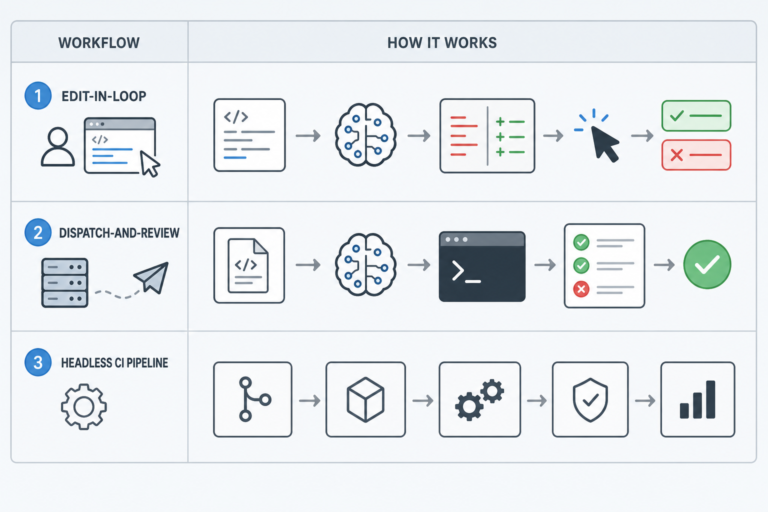
Fit becomes clearer when work is named as a moment in a development loop. The three moments below usually show whether proximity, delegation, or automation should lead.
Edit-in-loop
Edit-in-loop work is short, contextual, and often interrupted by human judgment. Typical cases include adjusting a component, changing a function, fixing a type error, or deciding whether a proposed diff fits nearby code.
An AI IDE fits this moment because inline completion, chat, and visual multi-file diffs keep the developer close to each change. The goal is not to hand off a whole project. It is to accelerate a sequence of small decisions without leaving the editor.
This does not make the IDE workflow less agentic. Review stays continuous: accept, reject, edit, or redirect before the next change extends the previous one. Tab completion and visual diffs matter most when the unit of work is a few lines or a small feature.
Lean AI IDE when:
- UI or visual iteration is central;
- line-level edits and fast onboarding matter;
- a junior-friendly single-subscription editor workflow is enough for most days.
Dispatch-and-review
Dispatch-and-review work starts with a goal that can survive a longer autonomous loop. Examples include a migration, a repo-wide refactor, test generation across unfamiliar code, or a change that must run several commands before it can be judged.
A terminal agent fits because the shell is already where commands, tests, environment setup, and repository state meet. The agent can plan, edit, execute, inspect failures, and iterate before handing an outcome back for review.
Autonomy is the central trade-off. It can reduce repetitive coordination for a bounded task. It also makes guardrails and outcome review more important than they are in a line-by-line interaction.
Lean terminal agent when:
- the task is large, multi-file, or migration-shaped;
- a long-running “come back when done” loop is acceptable;
- repo-level hooks, skills, or shared agent config already constrain what the agent may do.
Headless-CI
Headless-CI is where the AI IDE vs terminal agent distinction is least ambiguous. When work must run through CI, SSH, Docker, or an unattended environment, a CLI-native agent sits closer to the operating surface.
That does not remove the editor from the workflow. An IDE can still be the best place to inspect a branch, understand a failed test, and make the final correction. The terminal agent leads the unattended loop; the IDE often leads the postmortem.
Before automating a goal in this moment, define allowed commands, test expectations, and review requirements. A tool cannot replace repository-level constraints.
Exemplars: Cursor and Claude Code
Cursor and Claude Code make the category contrast concrete without settling every product question. Cursor documents an AI-native editor workflow with completion, chat, multi-file capabilities, and visual review in its official documentation.
Claude Code documents a terminal-native agent that works in a repository and can plan, edit, and run commands in a loop. Its operating model is described in the Claude Code documentation. Those primary surfaces explain why the tools are often discussed together as exemplars of AI IDE vs terminal agent.
For a direct product-level examination, see Claude Code vs Cursor. That sibling post is the right place for detailed feature comparison. This guide stays on workflow moments instead of re-litigating every capability.
Pricing is a workflow signal, not a permanent ranking. As of 2026-07-20, Cursor pricing lists Individual plans starting at $20/month (Pro); Hobby is free; Teams is $40/user/month. Plans include model usage, with on-demand extra usage billed in arrears.
As of the same date, Claude pricing lists Claude Pro at $20/month (or $17/month billed annually), and Claude Pro includes Claude Code. Claude Max starts at $100/month with 5x or 20x Pro’s usage—the tier aimed at heavy agentic or headless work. Verify current terms on those official pages.
An editor seat and an agent subscription are separate cost centers. Running both means two $20-plus subscriptions. Many teams still prefer that split over forcing one tool onto every task.
Which setup should you choose?
The practical answer is a primary workflow plus an exception path. Start with the work that consumes the most attention. Add the second surface only when it solves a recurring limitation.
Editor-centered developers should usually begin with an AI IDE. This fits people who spend most days on visible, incremental changes, UI details, or learning a codebase through navigation and diff review.
Task-dispatch developers should usually begin with a terminal agent. This fits people who often scope migrations, broad refactors, test work, or operational changes that benefit from commands and a later review.
Platform and automation teams should evaluate a terminal agent early. CI, remote environments, Docker, and unattended tasks favor a command-native surface when the repository already has clear safeguards.
Newer developers may find an AI IDE easier as the primary surface because code, context, and review stay visible. A terminal agent remains useful for well-scoped tasks when review expectations and guardrails are explicit.
Often, the answer is both. A developer may use Cursor or another AI IDE for flow, then run a terminal agent in a pane or separate terminal for heavy autonomous work. Coexistence in one window does not mean the products share agent state, context, or conventions automatically. They remain independent products.
For the editor-family side of that choice, why use Cursor offers a focused perspective. Cursor vs Windsurf is a brief adjacent comparison within the AI IDE family. Use those links after the category choice is clear.
FAQ
What is AI IDE vs terminal agent in one line?
AI IDE vs terminal agent compares an editor-first, continuous-review workflow with a CLI-first, dispatched-task workflow. The useful decision is where an agent works and where its changes are reviewed.
Can a terminal agent replace an IDE?
It can handle many repository tasks. It does not make the visual editing, navigation, and line-level review strengths of an IDE irrelevant. Many workflows keep an IDE as the inspection and correction surface even when a terminal agent does the heavy dispatch.
Do I need both Cursor and Claude Code specifically?
No. The categories matter more than those two exemplars, and other products exist in each category. Both may still be useful when interactive editing and autonomous CLI work are regular parts of the same practice.
Which is better for beginners?
An AI IDE is usually the simpler primary surface because suggestions and diffs stay in the editor. Beginners can still use a terminal agent for narrow tasks when they understand the review process and repository guardrails.
Where do CI and headless workflows fit?
They generally fit the terminal-agent side because CLI-native tooling matches command-driven environments. Outcomes should still be reviewed under the team’s normal code and test standards.